369scan: See, support, and secure your VA claim. Drop your VA Blue Button file and get a Record Map of every condition, date, and page worth a second look. Your file is read on your own computer and never uploaded.
Drop your Blue Button PDF in the box below
- Stays on your computer
- No upload, no account
- We never see your records
It's read right in your browser. Free, and no sign-up.
Free forever: the scan, condition bubbles, the dated mentions list, and the highlighted record viewer.
Built by a 100% disabled Army veteran who went through the VA records grind himself.
How your data is handled
- Your record is read right on your computer. We never see it.
- Nothing to sign up for. No email needed to scan.
- We only get a page count and a scrambled ID, so we know a scan finished.
Blue Button is your VA medical record download. 369scan is not affiliated with the Department of Veterans Affairs.
WHAT IT COSTS
Free forever: the scan, condition bubbles, the dated mentions list, and the highlighted record viewer.
- Blue Button Record MapEvery note, lab, med, image, and appointment in your VA Blue Button, sorted by date, with the page it's on. Contradictions, gaps, and copy-forwarded notes flagged. Read on your computer — never uploaded.
- Free
- Sample scanTry a fictional Blue Button on this device first, if you want to see how it works. No card required.
- Free
- C-file and civilian recordsComing soon. Not for sale yet.
- Soon
- Your file never leaves your computer
- Never a percentage of your benefits
- Every finding linked to the exact source page
HOW IT WORKS
- 1
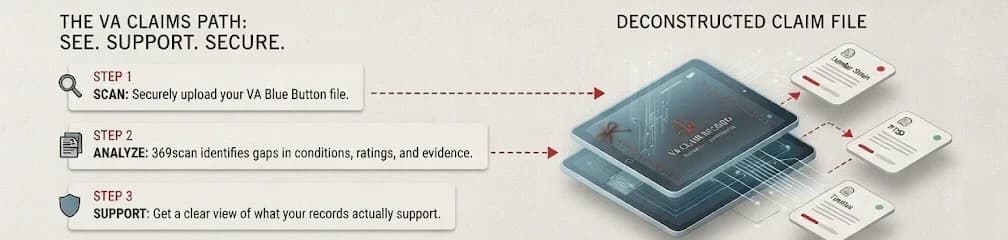
Download your Blue Button
On VA.gov, go to Records, then Download your VA Blue Button report. It’s the PDF of your whole VA medical record.
- 2
Drop it in
Drag the PDF into the scanner box, or click to pick it from your computer.
- 3
Get your breakdown
Every entry by date, type, who wrote it, and the page it’s on. Plus every spot where your record contradicts itself or skips something.
NOW IN YOUR BREAKDOWN
Read the page behind any entry
Click a page number and your Blue Button opens right there, with the words behind that finding highlighted. Flip page by page to check it yourself.
See which notes were copy-forwarded
Notes that repeat an earlier visit get flagged with the date they came from, so you know which parts of a visit were carried forward rather than written fresh.
Take a checklist into Word
Export a verification sheet as a .docx you can mark up and hand to whoever is helping you. Built on your computer, alongside your PDF and CSV exports.
All of it runs on your computer. Your Blue Button PDF is never uploaded, and the original file is kept only in this browser so the page view can draw it. If your browser won't store it, the breakdown still works and you get the page text instead.
BUILT BY A VETERAN
I built this because I filed my own VA claims without a rep, and I know how it feels to not know what you're missing. This isn't a law firm or a sales funnel — it's a tool built by a veteran who's been through the paperwork himself. No upsells, no bullshit. If it helps you find something you missed, good. That's the whole point.
I'm tired of companies slapping brotherhood and family on their branding while charging veterans hundreds or thousands for help that should be accessible. No upsells — and the basic scan stays free.
WHAT IT DOES
It sorts your records. Hundreds of pages turn into one list: what happened, when, who wrote it, and what page it's on. Whoever helps you — your VSO, your doctor, your lawyer — gets to start with the facts instead of page one.
WHAT IT IS NOT
It's not the VA, a VSO, a lawyer, or a claims agent, and it doesn't give medical opinions or ratings. We don't file claims and we'll never ask for your VA.gov password. Your Blue Button PDF is read on your own computer. 369scan does not upload that document.